

Showing posts with label Annoucements. Show all posts
Showing posts with label Annoucements. Show all posts
Wednesday, 20 March 2013
Sunday, 10 March 2013
Annihilator coming 21.03.13
Annihilator is a top-down action shooter for iOS devices and will be available from 21st March on the Appstore as a free download. Check it out!


Friday, 3 August 2012
LavaGlo Update with Retina Graphics
Our first App has been updated to use retina graphics. Lava looks far smoother and the UI has also had a revamp to look even shinier! Check it out!


Tuesday, 17 May 2011
Saturday, 14 May 2011
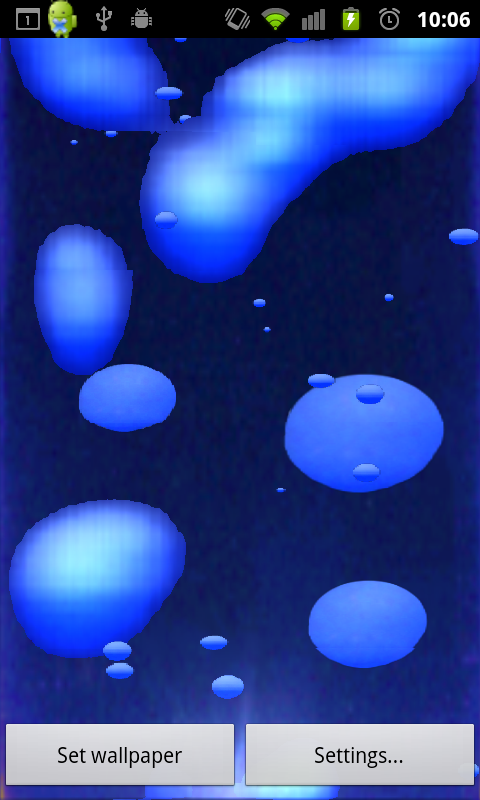
LavaGlo released on Android!
Chill out and relax with this soothing lava lamp simulation! Watch the hot wax globules merge and stretch apart as they rise and fall.
Behind the scenes LavaGlo uses a specially developed blob dynamics algorithm to make the lavalamp effect as realistic as possible without placing excessive drain on your device's battery.
Also you can change LavaGlo's colour at a whim choosing from nine colors including deep red, cool blue, quircky green, luminous yellow or moody purple light.
See Android Market page here!

Behind the scenes LavaGlo uses a specially developed blob dynamics algorithm to make the lavalamp effect as realistic as possible without placing excessive drain on your device's battery.
Also you can change LavaGlo's colour at a whim choosing from nine colors including deep red, cool blue, quircky green, luminous yellow or moody purple light.
See Android Market page here!


Tuesday, 8 March 2011
LavaGlo coming to Android...
I'm pleased to announce we'll be releasing our successful virtual lavalamp iPhone app 'LavaGlo' to Android soon. An updated iPad version is in the works too.

Thursday, 3 March 2011
Saturday, 29 January 2011
Mighty Dogbroth awakens
A good friend and fellow developer recently started his own GameDev blog. It's got some good content - check out The many guts of a think-box impact at http://dogbroth.tumblr.com/.
Sunday, 14 November 2010
gluUnProject fun
The old level editor I'd made was a bit of a hack that had been created to get a few concept/test levels out for Annihilation Arena II in early development. The lack of design had really began to show and it was time to make a new editor. The main difference was a push to make it use the exact same data and engine as the actual game, bringing the two projects closer together. Since I was starting afresh I thought it a good idea to do things properly from the get go and make it display everything more or less as it would look in game, in full 3D.
Having re-worked the XML level and model file formats to be far prettier and more adaptable for the future and built the core systems for handling editor objects etc. I moved onto the new graphical display for the level editor.
AAII uses a sort of 2.5D isometric view, which means some sort of coordinate transformation has to be done converting mouse coords to in-game 3D coords. Luckily for me I had the full glu libraries available since I was developing the editor in OSX rather than iPhone (there's actually iPhone versions of gluUnProject around the web if you care to find them) and this meant I could simply use gluUnProject rather than do the maths manually (although it's actually not the trickiest maths if you've got time).
Perhaps it was from working too late whilst fatigued but this coordinate conversion has managed to eat up a good few hours of time. It's very important to set up the correct OpenGL state before using gluUnProject if you want to get any sense out of it. I spent a lot of time searching around for examples for this function and whilst they are out there, they didn't take into account various things and often left users still stumbling to get it working for their own situations. So here is some commented code, highlighting the key things, which I hope helps anyone else who is finding screen to object space coordinate conversion using this function a nightmare.
So next I check if the mouse was clicked that frame and if so convert it's coordinates to OpenGL world coordinates. We need to call glReadPixels to supply the zDepth of the polygon that was clicked on in the view. Clicking on empty space will result in a zDepth of 1.0 i.e. maximum depth of the view frustum.
Having re-worked the XML level and model file formats to be far prettier and more adaptable for the future and built the core systems for handling editor objects etc. I moved onto the new graphical display for the level editor.
AAII uses a sort of 2.5D isometric view, which means some sort of coordinate transformation has to be done converting mouse coords to in-game 3D coords. Luckily for me I had the full glu libraries available since I was developing the editor in OSX rather than iPhone (there's actually iPhone versions of gluUnProject around the web if you care to find them) and this meant I could simply use gluUnProject rather than do the maths manually (although it's actually not the trickiest maths if you've got time).
Perhaps it was from working too late whilst fatigued but this coordinate conversion has managed to eat up a good few hours of time. It's very important to set up the correct OpenGL state before using gluUnProject if you want to get any sense out of it. I spent a lot of time searching around for examples for this function and whilst they are out there, they didn't take into account various things and often left users still stumbling to get it working for their own situations. So here is some commented code, highlighting the key things, which I hope helps anyone else who is finding screen to object space coordinate conversion using this function a nightmare.
// Enable depth test
glEnable(GL_DEPTH_TEST);
glDepthMask(1);
glDepthFunc( GL_LEQUAL );

glViewport(0, 0, backingWidth, backingHeight);
glMatrixMode(GL_PROJECTION);
glLoadIdentity();
gluPerspective(35, backingWidth/backingHeight, 1.0, 1000.0);

//Push the gluLookAt projection matrix onto the stack
glMatrixMode(GL_PROJECTION);
glPushMatrix();
gluLookAt(m_fcamEyeX-65.0f, m_fcamEyeY-65.0f, 100.0,
   m_fcamEyeX, m_fcamEyeY, 0.0f,
   1.0f, 5.0f, 0.0f);

// Update and render the scene
Update();
Render();

if(mouseClicked)
{
   // Remember this must be done after rendering our scene as otherwise
   // there will be no polygons there to detect depth for!
   MouseToOpenGLCoords();
}
So next I check if the mouse was clicked that frame and if so convert it's coordinates to OpenGL world coordinates. We need to call glReadPixels to supply the zDepth of the polygon that was clicked on in the view. Clicking on empty space will result in a zDepth of 1.0 i.e. maximum depth of the view frustum.
void MouseToOpenGLCoords()
{
   GLdouble dMatrix[16];
   GLdouble dProjection[16];
   GLint iViewport[4];
   GLfloat m_fDepth;

   // We need to grab the projection and model view matrices along with the viewport
   // for the conversion
   glGetDoublev(GL_PROJECTION_MATRIX, dProjection);
   glGetDoublev(GL_MODELVIEW_MATRIX, dMatrix);
   glGetIntegerv(GL_VIEWPORT, iViewport);

   m_fWindow[0] = m_mousePoint.x;
   m_fWindow[1] = m_mousePoint.y;

   // Read the zDepth of the coordinate where the screen was clicked. Will simply return
   // 1.0 if you don't click on a polygon.
   glReadPixels(m_fWindow[0],m_fWindow[1],1,1,GL_DEPTH_COMPONENT,GL_FLOAT,&m_fDepth);

   // use gluUnProject to get the OpenGL world coordinates
   gluUnProject(m_fWindow[0], m_fWindow[1], m_fDepth,
  dMatrix, dProjection, iViewport,
  &m_dOpenGLCoord1[0], &m_dOpenGLCoord1[1], &m_dOpenGLCoord1[2]);
}
Monday, 1 November 2010
AAII Quadtree improvements
The Quadtree class has been made slightly more robust. Although Annihilation Arena II uses a 3D engine, it's really only 2.5D as it uses a fixed isometric view point. This changes only for cinematic NIS's on occasion but for the most part a quad tree is ideal for visibility culling as it's been relatively simple to implement and works fine within the 2.5D view point.
A Quadtree is a tree data structure with four children. They are useful for a number of things but AAII uses them to calculate which static level geometry is in screen space. To see if an object is visible we test which quad at the top of the tree it is contained in and iterate down. This means we quickly eliminate testing in large areas such as the upper-right quad, in-fact, we can probably eliminate testing on three thirds of the entire level area in the first iteration.

The Quadtree of a small level in Annihilation Arena II
Tuesday, 19 October 2010
New website up and functioning!
We will also periodically be posting updates on development progress for upcoming projects mixed in with some indie game dev tips in general.
All feedback to do with the website or any of the products available should be sent to info@jdtec.co.uk.

Subscribe to:
Posts (Atom)